Turn ordinary online conversations into something more visual, expressive, and memorable.
I first noticed how often people use emojis when talking about websites, online brands, links, and digital spaces. A simple symbol can make a message easier to scan and add personality without extra words.
If you are searching for an emoji domain, the idea can connect naturally with web related symbols used in WhatsApp emojis, Instagram emojis, and TikTok posts.
From website conversations to creative branding, these copy paste emojis can make digital communication feel more engaging.
The right emoji can give a digital idea a little more personality.
What do emoji domain mean?
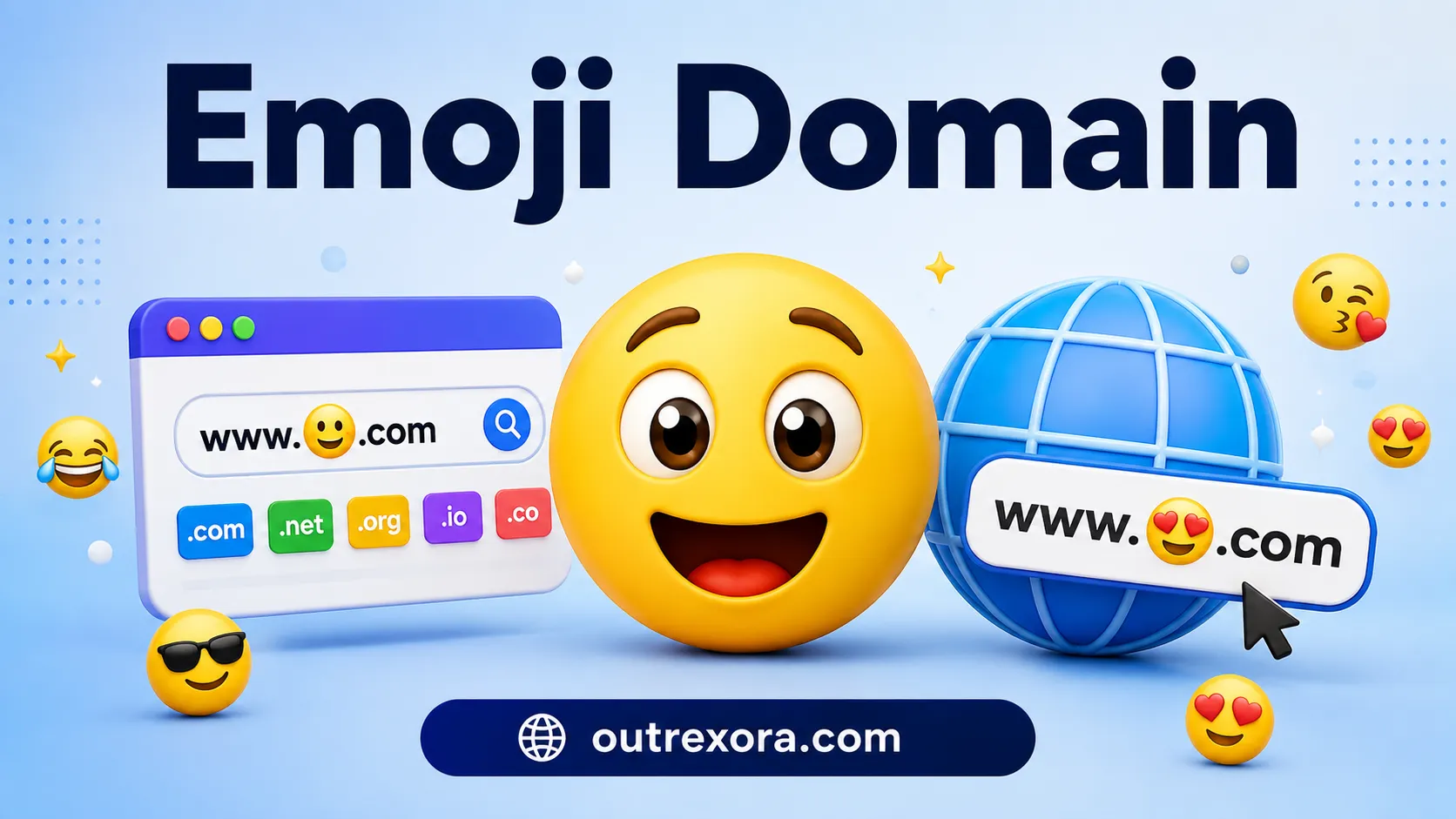
The phrase emoji domain can refer to emojis used around website, internet, branding, and online identity conversations. Since there is no single official emoji specifically named “emoji domain,” people usually choose symbols that visually connect with websites, links, devices, searches, and digital communication.
🌐 is commonly useful when talking about the web, websites, or an online presence. It can make a sentence feel immediately connected to the internet.
🔗 works naturally beside links, URLs, sharing, and online connections. In casual messages, it can also draw attention to something someone should click or check.
💻 fits conversations about websites, online work, blogging, coding, and computer based activities. It can make a digital topic feel instantly recognizable.
🖥️ is useful when your context focuses specifically on a desktop computer, website viewing, or a larger digital workspace.
📱 connects with mobile websites, apps, texting, and browsing from a phone. It is especially natural when discussing how content appears on mobile screens.
🔍 is useful when referring to searching for a website, finding information, discovering a page, or exploring something online.
| Emoji | Core meaning | Misread as | Best used when |
| 🌐 | Web or online world | Travel symbol | Websites and internet topics |
| 🔗 | Link or connection | Chain decoration | Sharing links and URLs |
| 💻 | Computer or digital work | Gaming device | Websites, blogging, online work |
| 🖥️ | Desktop screen | Television | Desktop browsing and websites |
| 📱 | Mobile device | General phone chat | Mobile websites and apps |
| 🔍 | Search or discovery | Magnifying object | Finding online information |
Meaning & Example
🌐 Web Globe
Meaning: The internet, worldwide web, or a global online presence.
Example 1: Check our website 🌐
Example 2: Everything is online now 🌐
🔗 Link
Meaning: A connection between online pages, resources, or shared destinations.
Example 1: Here is the link 🔗
Example 2: Send me the page 🔗
💻 Laptop
Meaning: Computer based work, websites, blogging, or digital activity.
Example 1: Working on my website 💻
Example 2: New project today 💻
🖥️ Desktop Computer
Meaning: Desktop browsing, computer screens, or website viewing.
Example 1: The page looks great on desktop 🖥️
Example 2: I checked it on my computer 🖥️
📱 Mobile Phone
Meaning: Mobile browsing, apps, texting, or phone based online activity.
Example 1: Open it on your phone 📱
Example 2: The site works well on mobile 📱
🔍 Magnifying Glass
Meaning: Searching, finding information, or exploring something online.
Example 1: Searching for the right page 🔍
Example 2: Let me find it 🔍
📧 Email
Meaning: Email communication, digital messages, or online contact.
Example 1: Send the details by email 📧
Example 2: Check your inbox 📧
📝 Memo
Meaning: Written content, notes, articles, or digital information.
Example 1: I finished the article 📝
Example 2: Adding notes to the page 📝
🏠 House
Meaning: A homepage, main website location, or online starting point.
Example 1: Visit our homepage 🏠
Example 2: The new site is live 🏠
⚙️ Gear
Meaning: Website settings, technical options, or configuration.
Example 1: Check the site settings ⚙️
Example 2: Update the options ⚙️
How to use emoji domain the right way
On WhatsApp, emoji domain symbols work best when messages are personal and expressive. You can place them beside a website, shared link, online project, or quick recommendation without making the message feel overly formal.
For example, “Here is the page 🔗” is short and easy to understand. You can also combine a few copy paste emojis when discussing a digital task with friends or classmates.
On Instagram, these symbols can support captions, profiles, and digital branding. A carefully chosen symbol can make a caption easier to scan while giving a technology focused post a cleaner visual identity.
On TikTok, the same symbols can feel more playful. Creators may use them around jokes about websites, searching, online life, or digital habits, particularly when the surrounding caption gives them an ironic or humorous tone.
Do:
- Choose symbols that genuinely fit your message.
- Keep combinations short and readable.
- Use them to highlight important digital ideas.
- Match your emoji choices with your overall caption style.
Don’t:
- Add random symbols just to fill space.
- Use too many emojis in one sentence.
- Assume every emoji has exactly the same interpretation everywhere.
- Let emojis make an important message harder to understand.
Best emoji domain combos copy & paste
Romantic
👉 🌐❤️ Share an online page with someone special.
👉 🔗❤️ Send a meaningful link with warmth.
👉 💻❤️ Add affection to a digital project or message.
Cute
👉 📱✨ Give a mobile related message a cheerful touch.
👉 🌐💖 Make an online recommendation feel sweeter.
👉 📝💗 Add warmth to a written digital message.
Flirty
👉 🔗😉 Send a link with a playful tone.
👉 📱😉 Add a teasing touch to a phone related message.
👉 🌐💫 Give an online conversation a light, charming feel.
Missing someone
👉 📱💭 Pair a phone reference with thoughts of someone.
👉 🔗❤️ Share something meaningful while thinking of another person.
👉 🌐💙 Add a gentle emotional tone to an online message.
Good night
👉 📱🌙 Say good night after a late night chat.
👉 💻🌙 Mark the end of a late digital work session.
👉 🌐✨ Give an online good night post a soft finish.
Trending emoji domain in 2026
In 2026, web related emojis continue to fit naturally into digital conversations because people regularly discuss websites, links, mobile browsing, online content, and digital projects.
🌐 is especially convenient for posts about websites and online communities because its visual connection to the internet is immediate. Content creators can use it when introducing a website or directing attention toward an online destination.
🔗 remains practical in conversations where sharing something online is the main purpose. It is particularly useful when a caption or message needs a visual cue for a link.
📱 suits mobile first conversations and social content. Since much everyday communication happens through phones, it can naturally appear in posts discussing apps, mobile pages, and online messaging.
💻 is a familiar choice for creators, bloggers, students, and anyone discussing computer based projects. Its simple visual appearance makes it easy to include without overwhelming a sentence.
| Emoji | Why trending | Who uses it | Platform |
| 🌐 | Clear connection with online topics | Creators and web users | Instagram, WhatsApp |
| 🔗 | Quickly highlights shared links | Social users and creators | Instagram, TikTok |
| 📱 | Fits mobile first communication | Everyday users | WhatsApp, TikTok |
| 💻 | Connects with digital projects | Creators and students | Instagram, WhatsApp |
Emoji usage keeps evolving alongside online communication, with familiar symbols often gaining new context as digital culture changes.
Common Mistakes to Avoid With Emoji Domains
Using one as your main business address: an emoji domain is hard to say out loud, hard to type, and impossible to print on a card or a sign. Keep your main site on a plain text domain and use the emoji version, if at all, as a fun redirect for campaigns.
Expecting email to work smoothly: many email systems, forms, and older apps still reject or mangle emoji domains. Never put one on an address customers must type to reach you, and test every form before you share the link anywhere.
Assuming it helps rankings: an emoji in a domain is a branding choice, not a search advantage. Pages still rank on content, trust, and links, so treat the emoji domain as decoration and put your real effort into the pages it points to.
FAQs:
1. What is the most popular emoji domain?
🌐 is one of the clearest choices for an emoji domain because it immediately connects with websites, the internet, and online activity.
2. What does 🌐 mean from a girl or boy?
Its meaning does not automatically change based on who sends it. The surrounding words and conversation provide the important context.
3. Why do emojis look different on iPhone vs Android?
Apple, Google, and other platforms design their own emoji artwork. The underlying Unicode character can be the same while its visual appearance differs.
4. Are emoji domain used differently in other countries?
Yes, context can vary across languages and cultures. A symbol that feels casual in one community may have a slightly different tone somewhere else.
The Web Symbol Guide: Emojis People Use for Websites and Links
The core emojis for website talk, each with meaning and original examples.
🌐 Globe Showing Meridians: website, online presence. Examples: Our new site is live, explore it here 🌐. Portfolio and booking in one place, 🌐 link in bio.
🔗 Link: hyperlink, URL. Examples: Full tutorial is up, watch through the 🔗. Shop every look via the 🔗 in comments.
💻 Laptop: blogging, online work. Examples: New blog post is live, written on my trusty 💻. I run my whole store from this 💻.
🖥️ Desktop Computer: web design, tech setup. Examples: Website redesign complete, built on this 🖥️. My 🖥️ setup tour is on the channel.
📱 Mobile Phone: mobile site, app. Examples: Our site is fully optimized for 📱, try it now. New app update is out, grab it on your 📱.
🔍 Magnifying Glass: search, SEO. Examples: Wondering how we rank so fast, the answer is 🔍 strategy. Type it into the 🔍 bar and thank me later.
📧 E-mail: newsletter, inbox. Examples: This week’s newsletter just hit your 📧. Join 10,000 readers getting value by 📧 every Friday.
📝 Memo: blog post, article. Examples: New 📝 on the blog, link waiting for you. I turned my viral thread into a full 📝.
🏠 House: homepage, home base. Examples: Start at the 🏠 page, then explore the shop. Everything I make lives at one 🏠 online.
⚙️ Gear: settings, backend. Examples: Tweaked the ⚙️ settings and the site is twice as fast. If the ⚙️ breaks, I fix it live on stream.
⚡ High Voltage: speed, instant results. Examples: Pages now load in a flash ⚡. ⚡ fast checkout, no account needed.
🌍 Globe Europe-Africa: global reach. Examples: Shipping to customers 🌍 wide this month. One site, readers in 40 countries 🌍.
💡 Light Bulb: ideas, tips. Examples: 💡 for growing traffic without paid ads. Steal this 💡 for your next launch.
📌 Pushpin: pinned link, must save. Examples: 📌 this post, you will need that link later. The master resource list is 📌 in my bio.
The Literal Emoji Domain Story: Punycode, Endings, and 2026 Status
Here is how a smiley face becomes a working web address. The Domain Name System only understands plain ASCII letters, numbers, and hyphens. Punycode is the translation layer, converting Unicode characters, including emoji, into ASCII encoding that always begins with xn--. Every emoji has one fixed Punycode form: the winking face 😉 becomes xn--n28h. Your browser shows the emoji while the network quietly uses the code, and that gap is the source of every limitation below.
Which endings ever allowed them. Emoji domains were never a free for all. Endings like .com never permitted them, because the IDNA2008 standard disallows emoji code points and ICANN has called emoji in domains a security risk. Registration was possible only on a small set of country code endings, historically including .ws, .to, .fm, .st, .kz, .uz, plus the free Freenom operated endings .tk, .ml, .ga, .cf, .gq and second level choices like .com.ws. Many registrars could not accept an emoji in signup forms, forcing buyers to paste the Punycode string instead.
The 2026 status, honestly. Treat every old list of allowed endings as stale until verified. The free Freenom operated endings went through major operator changes after their free registration model collapsed, so their 2026 status is uncertain. The stable choices creators still use are endings like .ws, .to, and .fm through registrars that explicitly support emoji labels. Before spending money, confirm the exact Punycode and test that it resolves and displays correctly in Chrome, Safari, and Firefox on desktop and mobile.
The honest tradeoffs. Typing is the first problem: most desktop keyboards cannot type an emoji quickly, so word of mouth sharing dies. Trust is the second: users have learned that odd looking links can be phishing, and security conscious browsers sometimes display the raw xn-- Punycode instead of the emoji, which looks alarming. Accessibility is the third: screen readers may announce the emoji name or spell out the Punycode. Smart brands treat an emoji domain as a memorable campaign extra that redirects to the real site, never as the only address customers must remember.
SEO and Trust: The Facts Most Articles Skip
Google does not give emoji domains a ranking bonus. Search engines index the Punycode version as the canonical address, and rankings come from content, links, and user experience, as with any domain. An emoji domain will not outrank a strong .com on cuteness alone. What it can do is lift click through behavior where the emoji renders, like social posts and messaging apps, because a colorful link stands out in a feed.
Trust works in the opposite direction. Some email filters treat unusual domains with suspicion, and link preview tools occasionally fail to build a proper card. Pasted emoji links sometimes display as the xn-- string, killing the visual advantage. The practical playbook: keep main SEO equity on a standard domain, use the emoji domain for short lived campaigns or packaging, and point it at the main site with a proper redirect.
Branding Use Cases: Campaigns, Redirects, and Social Bios
This is where emoji domains shine. A campaign microsite for a product launch feels more exciting at 🍕.ws than at a forgettable subdomain. A vanity redirect printed on packaging or spoken on a podcast is easier to remember as one picture than as a phrase. Creators use them as link in bio shortcuts that match their niche, a rocket for a startup channel or a camera for a photography page.
The pattern that works best is the redirect sandwich: the emoji domain is the memorable front door, forwarding visitors to a page on the main site where checkout or signup lives. The brand gets the memorability without betting SEO or customer trust on an address some systems cannot display. Limited edition drops and event pages are ideal candidates.
Using Web Emojis on WhatsApp, Instagram, and TikTok
On WhatsApp, links generate rich previews automatically, so one 🔗 or 🌐 before the link is enough; more looks cluttered in a chat thread. Status updates are the exception, where a row of web emojis can tease a launch without revealing the link.
On Instagram, the bio is prime real estate: one line like 🌐 shop plus new drops weekly turns the link into a call to action. In Stories the link sticker does the heavy lifting, so pair it with a 🔗 in the caption text. Carousel posts about a new article do well with 📝 on the first slide and the link reminder on the last.
On TikTok, captions move fast, so web emojis work as signposts: 🔗 in bio is the standard phrase, 📌 marks a comment where you dropped the link, and 🌐 suits announcement videos. Because many viewers watch without sound, an on screen 🔗 plus the spoken phrase link in bio covers both audiences.
How Emoji Domains Render Across Platforms
Rendering is the quiet dealbreaker. Apple, Google, Samsung, and Microsoft each draw the same emoji slightly differently, so your address may look flat on one phone and glossy on another. Older devices show a blank box, called tofu, when they lack the glyph. Chrome and Firefox may display the xn-- Punycode form when the emoji could be confused with a lookalike character, a deliberate anti phishing measure. Always test your exact domain on the devices your audience uses before printing it.
Related Digital and Branding Emojis
More symbols for an online brand vocabulary. 🚀 Rocket: launch and growth. 📈 Chart Increasing: traffic growth and results. 🔔 Bell: subscribe reminders. 📩 Envelope With Arrow: DM me, outreach. 🛒 Shopping Cart: store and checkout. 🎨 Artist Palette: design and branding. 📊 Bar Chart: data and stats. 🔒 Locked: privacy and members only content. 💬 Speech Balloon: community chat. ⭐ Star: featured and top rated. 📣 Megaphone: announcement and promotion.
2026 Creator Economy Trends
The creator economy keeps finding new jobs for web emojis. Link in bio tools let creators theme landing pages around one signature emoji, turning 🌐 into a personal logo. Short video captions use web emojis as chapter markers so viewers can skim a tutorial by its symbols. Web3 naming has revived emoji based identity, with wallet names treating an emoji as a portable brand mark across apps. Yet AI search and voice assistants still struggle with emoji input, so serious creators pair the playful emoji front with a plain text address in descriptions. Emojis win attention, plain text keeps it accessible.
Choosing One Signature Web Emoji for a Brand
A brand does not need a shelf full of web symbols. It needs one clear symbol that readers can recognise at a glance. A travel blog might lean on the globe, a tutorial channel might lean on the magnifying glass, and a small shop might lean on the shopping cart. When the same symbol appears in a bio, a caption, and a welcome message, it starts to work like a tiny logo, quietly telling new readers what the brand is about.
Choose the symbol by the action you want readers to take. If you want people to visit, the globe or link symbol makes sense. If you want people to search, save, or learn, the magnifying glass, pushpin, or memo may fit better. Test the choice in a real sentence and read it on a phone screen. If the meaning is clear without an explanation, the symbol is doing its job. If readers need a caption to decode it, a simpler symbol will serve the brand better.
Consistency matters more than novelty. Changing the signature symbol every week confuses returning readers and weakens the visual habit you are building. Keep the main symbol steady for a season, use supporting symbols sparingly, and let the words carry the details. Over time, followers will spot the symbol in a busy feed and know instantly that the post belongs to you.
Emoji Domains in Print, Packaging, and Spoken Ads
Print changes the rules for emoji domains completely. A poster, a flyer, or a product box cannot be tapped, so readers must remember and retype what they see. An emoji address that looks charming on a phone screen can become a puzzle on paper, especially when the emoji renders differently on different devices. For print, pair the emoji with plain text instructions, such as a short memorable phrase or a simple redirect name, so no customer is left guessing.
Packaging offers a smarter middle path. A limited edition box can feature a bold emoji as a design accent while the plain text address sits nearby in small, clear type. Shoppers get the playful look, and anyone who wants to visit later has a reliable route. This approach protects sales, because the fun design never blocks the practical step of finding the shop.
Spoken ads face the hardest test of all. A presenter cannot easily say an emoji address, and listeners cannot type a picture from memory while driving or walking. If an emoji domain appears in audio, always speak a plain text alternative in the same breath. The emoji can still appear in the video caption or show notes, where viewers can tap it, but the spoken version must stand on its own.
A Simple Checklist Before You Share an Emoji Link
Run this short checklist before any emoji link goes public. First, test the link on at least two phones and one desktop browser, and note whether the emoji or the Punycode form appears. Second, check the destination page on mobile, because most taps will come from phones. Third, confirm that any form, checkout, or signup step on the destination works after arriving through the redirect.
Next, check trust signals. Ask a friend who has never seen the link whether it looks safe to tap. If they hesitate, add context in the surrounding post, such as the brand name and a clear description of what waits on the other side. A short honest sentence beats a mysterious emoji string, especially for first time visitors.
Finally, keep a plain text backup ready for every campaign. If a platform strips the emoji, an email client mangles it, or a screen reader reads the Punycode aloud, the backup keeps the campaign alive. Save the backup in the post description, the bio, and the campaign notes, so a broken emoji never means a lost visitor.
Conclusion
An emoji domain can make conversations about websites, links, devices, and online content more visual and memorable.The key is choosing symbols that naturally support the message instead of distracting from it.
If you use them on WhatsApp, Instagram, or TikTok, a small digital symbol can add personality to everyday communication.

I’m Olivia Bennett, a writer at Outrexora.com, where I share clear, engaging, and informative stories about the latest news, insights, and trends.